This article was translated from the original Japanese. Read the original

Yapper did not stop at translating the interface and accepting Japanese prompts. We tested narrated video workflows with Japanese creators, studied where generations failed, and compared what we saw with Seedance 2.0's official data and current video-prompting research.
Then we built those findings directly into Yapper Assistant and the video prompt helper.
When you describe a video naturally, Yapper automatically:
- Restores omitted subjects and binds actions and dialogue to the right character.
- Keeps written Japanese natural while clarifying only the pronunciations that need help.
- Checks whether the dialogue fits the available time.
- Gives every reference, camera instruction, and sound cue a clear role.
- Detects conflicting or overloaded instructions before generation.
You do not need to learn a special prompt format or write a production brief yourself. Tell Yapper what you want to create in natural Japanese, and the assistant prepares it for the model.
If you want to understand what happens behind the scenes—and why it improves the odds of a usable generation—here is what we learned.
Japanese-Specific Prompting
The first set of problems comes directly from the Japanese language: omitted information, multiple possible readings, pitch accent, phrase boundaries, and mora-based timing.
Japanese Is Built to Let Context Carry Meaning
Japanese is often called a “context-heavy” language. That does not mean it is inherently vague or incomplete. Linguistically, Japanese is commonly described as topic-prominent: once the topic and situation are shared, speakers can leave subjects, objects, owners, and other relationships unstated when a listener can recover them. English is more subject-prominent and normally makes the grammatical subject visible in the sentence.
Native Japanese speakers may not notice how much they are recovering from context, because it happens automatically. The previous sentence, the physical scene, the speaker's relationship to the listener, and what both people already know can silently answer “who,” “what,” and “whose.” To a person inside that shared context, nothing feels missing.
For example, this can be a perfectly natural Japanese exchange:
もう置いておいて。あとで確認します。
A listener may already know who should leave what, and who will check it later. A video model sees only the supplied prompt. If there are several people and objects in the scene, those same omissions become unresolved production decisions.
This difference is important enough that Japanese–English machine-translation research uses conversation-level context to recover information that sentence-by-sentence systems miss.
Yapper does not make the spoken Japanese unnaturally explicit. It keeps natural omissions in the dialogue while restoring the hidden relationships in the model-facing direction: who leaves the object, which object it is, and who checks it later.
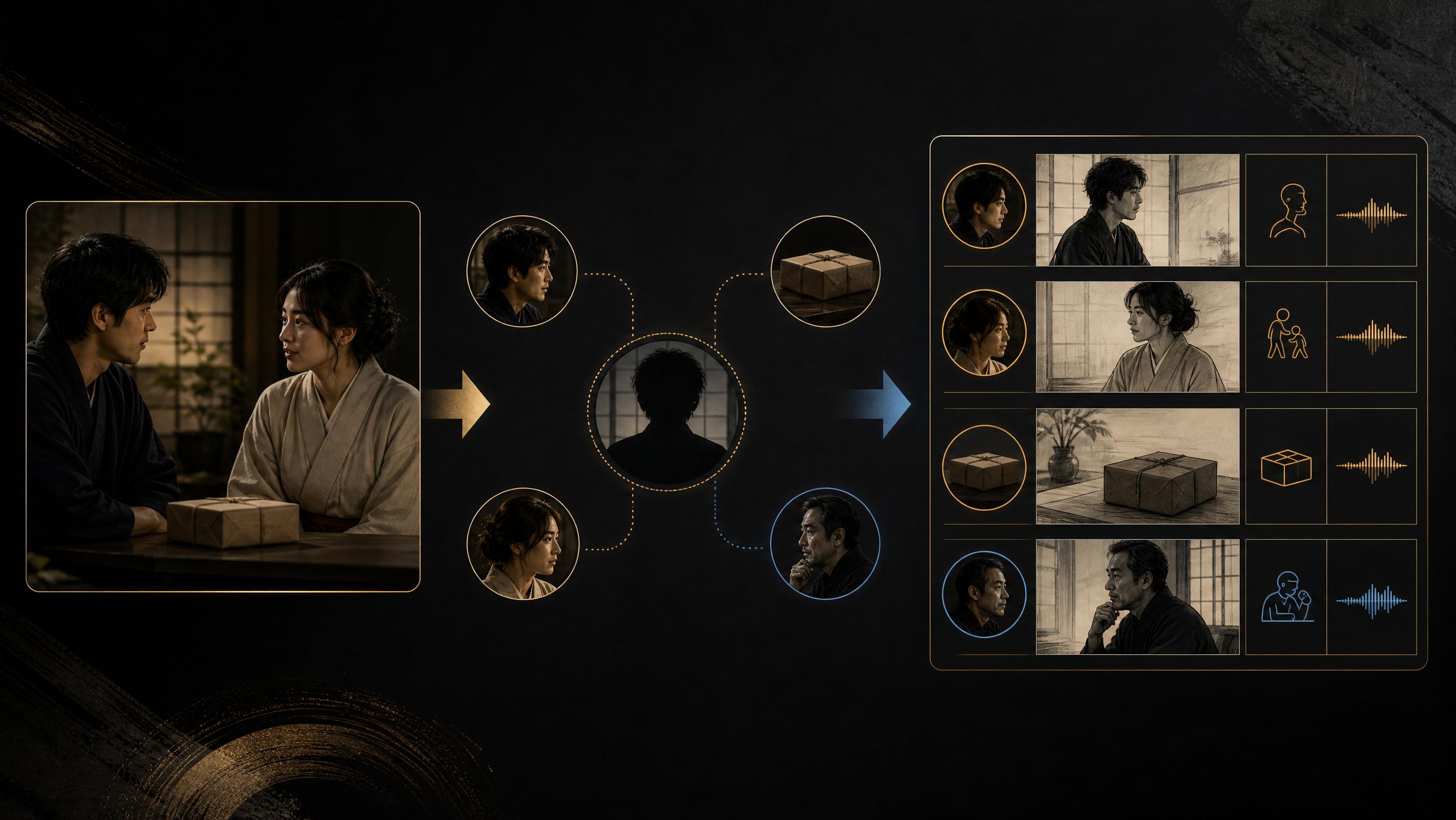
Separate the Japanese Used for Direction From the Japanese That Is Spoken
The most important insight is that Japanese serves two different purposes in a video prompt:
- Japanese used for generation direction: Make it explicit who does what, when, and how.
- Japanese used for dialogue or narration: Preserve language that sounds natural to a Japanese listener.
Generation instructions should clearly identify the subject, action, object, timing, camera, emotion, and anything that must not change.
Spoken Japanese is different. Forcing every line into an English-like sentence structure can make the performance sound unnatural. Dialogue should remain natural Japanese.
The goal is not to translate a creator's idea into English. It is to understand the creator's natural Japanese and compile it into instructions the generation model will not have to guess about.
Japanese Can Omit the Subject; the Generation Prompt Should Not
Japanese frequently communicates the subject through context rather than stating it in every sentence.
Consider this direction:
ラケットを拾う。驚いた表情で見る。「始めよう」と言う。
A person may infer the intended actors from the surrounding conversation. In a scene with multiple characters, however, the model still has to guess:
- Who picks up the paddle?
- Who looks surprised?
- Who says the line?
The generation instruction should bind every action and line to a character:
SEIKAがラケットを拾う。
コーチがSEIKAを見て、驚いた表情を見せる。
SEIKAが落ち着いた声で日本語で言う:「始めよう。」
When several characters are present, names, stable role labels, or reference labels are safer than pronouns such as “she,” “he,” 彼女, or その人.
This rule is not meant to make the spoken Japanese rigid. The stage direction becomes explicit while the dialogue remains natural.
The omission of subjects and objects in Japanese is commonly studied as zero anaphora. Recent work on Japanese dialogue systems found that completing omitted information can improve the coherence of generated responses.
Use “SVOC” as a Prompt Check, Not as Japanese Grammar
SVOC stands for Subject, Verb, Object, and Complement. It comes from English grammar, but it is useful as a quick completeness check for generation instructions:
| Letter | Meaning | Question for the generation direction |
|---|---|---|
| S | Subject | Who is acting or speaking? |
| V | Verb | What observable action do they perform? |
| O | Object | What person, object, or part of the scene receives that action? |
| C | Complement | What complement, resulting state, or required condition follows? |
Not every beat needs an object or complement. A simple shot such as “SEIKA smiles” is already complete. The value of SVOC is that it exposes missing relationships before the model has to guess them.
Camera, sound, timing, and reference roles sit outside SVOC and still need their own instructions. The spoken dialogue should not be rewritten into rigid English-like grammar just to satisfy the checklist.
Do Not Remove Every Kanji—Design Only the Readings That Need Help
When a Japanese voice misreads a word, it is tempting to convert the entire script to hiragana. As a universal rule, that can create new problems. Removing the visual boundaries supplied by kanji may make a sentence harder to parse and introduce different reading errors.
A safer approach is to maintain two related versions of the script.
Display version
Captions, review screens, and published copy should use natural written Japanese.
Yapper独自の機能で、日本語動画をもっと簡単に作れます。
Model-facing speech version
Only the ambiguous or previously misread kanji, names, numbers, counters, English words, and acronyms need to be replaced with the intended hiragana or katakana reading.
やっぱー どくじの機能で、日本語動画をもっと簡単に作れます。
Yapper Assistant does not invent the pronunciation of an uncertain name or specialist term. When the intended reading is unclear, it asks before generation.
The fact that production Japanese speech systems expose dedicated yomigana controls illustrates why written form alone cannot always determine pronunciation.
A correct kana reading is only the first layer. Japanese pronunciation also depends on pitch accent and phrase boundaries. Amazon Polly's Japanese Pronunciation Kana can encode pitch accent, which is a useful reminder to treat reading, accent, and phrasing as separate decisions. For a brand name, character name, or specialist term, an approved audio reference is stronger than a guessed reading.
Measure Speaking Time, Not Just Characters
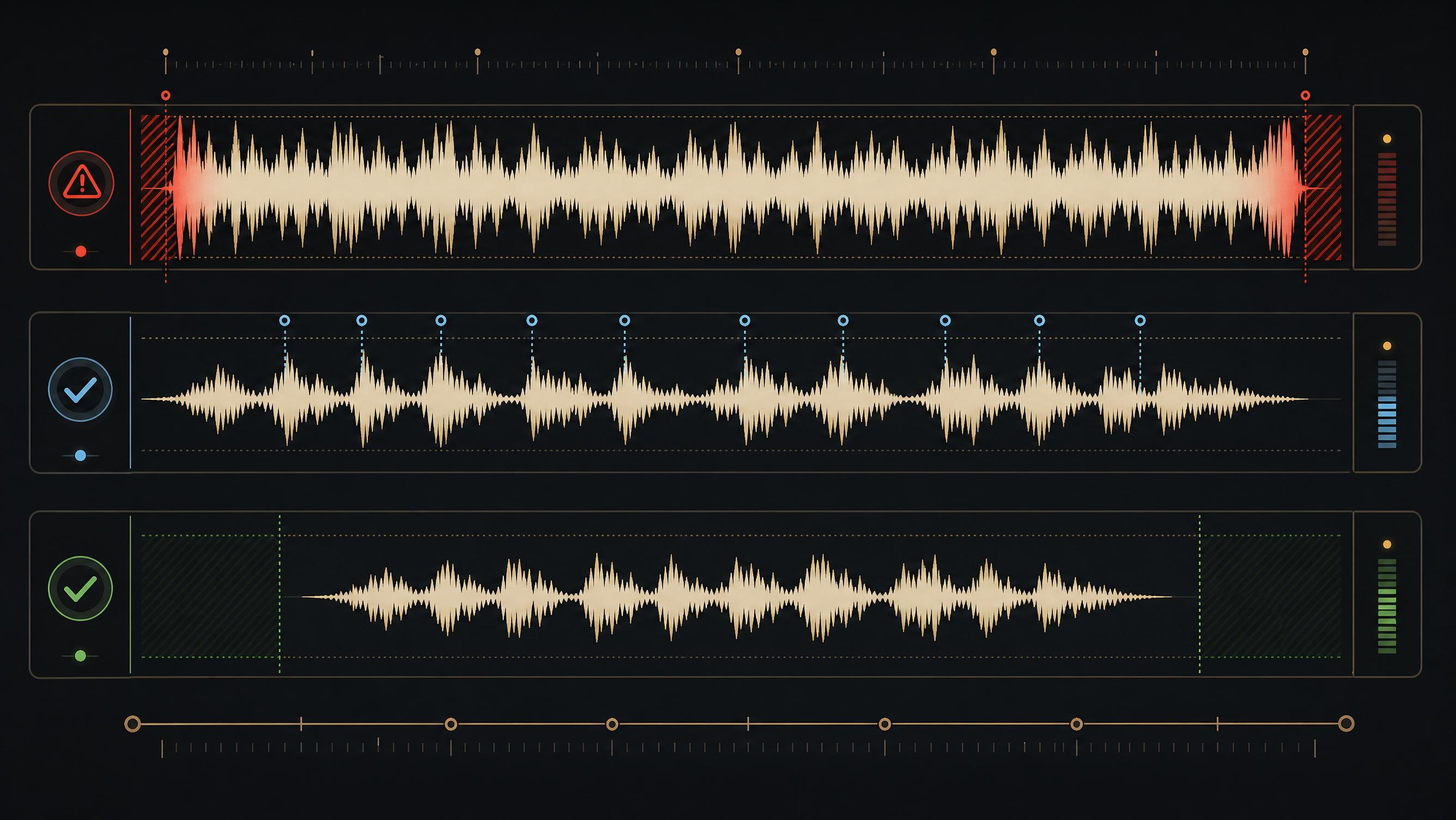
A 15-second video does not need 15 seconds of uninterrupted dialogue.
Leaving a short beat before speech begins and some room at the end usually creates more natural narration and lip sync. For some 15-second clips, treating roughly 12 seconds as the usable speech window is a safer starting point.
The important caveat is that Japanese character count is not the same as speaking duration.
One kanji can represent several morae. Punctuation can create pauses. Names, numbers, and emotional delivery can change the duration of scripts with the same number of characters.
A better preflight process is:
- If approved audio exists, measure its actual duration.
- Without audio, normalize the intended pronunciation and estimate morae and delivery speed.
- Preserve an opening and closing buffer.
- If the line is overloaded, split it at a natural phrase boundary instead of forcing an unnaturally fast performance.
A Japanese professional-narrator corpus published by NICT reports an average normal rate of about 4.8 morae per second. This is not a universal limit, but it is a useful starting point for estimating calm, normal narration.
Mora count is an estimator, not a stopwatch. Research on spontaneous Japanese found that mora count predicts duration less strongly than it does in careful speech. Emotional delivery, final lengthening, pauses, and syllable structure all change the result. Whenever recorded audio exists, its measured duration should override a text estimate.
A script can also be too short. If the model stretches a brief line to fill the clip, it can help to request a normal speaking rate and use the remaining time for expression, action, camera movement, or ambient sound.
For Seedance 2.0, Japanese Audio Quality and Instruction Following Are Different Problems
The official Seedance 2.0 model card contains a useful Japanese-specific evaluation.
For Japanese speech in image-to-video generation, its reported scores out of five were:
| Metric | Score |
|---|---|
| Audio quality | 4.00 |
| Audio-visual sync | 3.63 |
| Audio prompt following | 3.13 |
These results suggest that Japanese speech can sound good without following the requested content or pronunciation with the same level of reliability.
This is one benchmark, not a guarantee for every generation. It is still a strong reason to validate the speaker, reading, and timing before spending a generation.
The same source notes that lip-sync errors can remain in multi-speaker scenes and that multi-subject consistency and exact text restoration still have room to improve.
When accuracy matters, a safer workflow is to:
- Keep one visible speaker in each action beat.
- Use one primary speaker per clip for exact dialogue.
- Split crowded conversations into speaker-specific beats or clips.
- Add exact Japanese captions as deterministic overlays instead of generating them inside the scene.
Seedance 2.0 can combine image, video, audio, and text references for characters, composition, motion, camera behavior, and sound. Its official examples explicitly state which input owns each role.
General Video-Prompting Principles
The next practices are not unique to Japanese. They improve control in any language, especially when a short clip combines multiple references, characters, actions, camera instructions, and audio.
Build a Long Prompt Like a Production Brief
Detailed prompts become easier to control when they are organized into layers instead of written as one continuous paragraph:
- Core intent: The subject, setting, visual style, and one-sentence outcome.
- Timed beats: One primary action and one camera idea for each beat.
- Continuity locks: The identity, clothing, props, palette, and spatial details that must remain stable.
- Reference contracts: What each image, video, or audio input contributes—and what it must not contribute.
- Sound plan: Dialogue, speaker, delivery, music, effects, ambience, and intentional silence.
This structure is not magic syntax. It creates a hierarchy that both the creator and the assistant can audit before generation.
This layering keeps framing, camera motion, style, lighting, character, location, action, dialogue, and sound design as separate production decisions instead of asking one sentence to carry all of them.
Give Every Reference One Job
Seedance 2.0's official reference example assigns the storyboard, character, scene, and props to different inputs. Follow the same principle instead of asking the model to infer why each file was uploaded.
| Reference | Owns | Does not own |
|---|---|---|
@Image1 | Character identity and wardrobe | Motion or camera choreography |
@Video1 | Motion rhythm and camera path | Character appearance |
@Image2 | Location and composition | Dialogue or voice |
@Audio1 | Voice, timing, or sound rhythm | Visual style |
When one reference is used only for motion or layout, say so explicitly. A reference contract prevents the model from borrowing the wrong character, costume, background, or style.
Spend a Complexity Budget
A timestamped storyboard helps organize a clip, but timestamps do not make every beat deterministic. Each additional subject, action, speaker, camera change, style change, and reference creates another relationship the model must resolve inside a few seconds.
For reliable clips, start each beat with:
- One primary action per subject.
- One dominant camera behavior.
- One clear audio objective.
- One visible speaker when exact dialogue matters.
If a beat needs several transformations, locations, speakers, or camera systems, split it into separate clips. Treat each short generation as one scene: begin with the essential motion, verify it, and add one element at a time.
Run a Contradiction Check
Long prompts often fail because two individually reasonable instructions cannot both be true. Check for conflicts such as:
- A single unbroken take and frequent quick cuts.
- A locked camera and a camera that orbits the subject.
- No background music and a named music track.
- Heavy motion blur and a prohibition against blur.
- An unchanged location and a sequence of different environments.
Convert important negatives into positive locks: “the camera remains locked,” “the background remains unchanged,” or “only environmental sound is present.” Positive states are easier to prioritize than a large blocklist. Then iterate by changing one variable at a time so you can tell which instruction improved—or broke—the result.
How Yapper Assistant Applies Both
Japanese creators do not need to memorize these rules or manually rewrite every prompt.
Yapper Assistant runs this preflight before generation:
- Restore omitted subjects and bind every action to an actor.
- Bind every spoken line to a speaker.
- Rewrite only risky kanji, names, English words, and acronyms for pronunciation.
- Preserve the original natural Japanese for display and captions.
- Check audio duration, morae, delivery speed, and opening and closing room.
- Split multi-speaker dialogue or overly complex action when necessary.
- Confirm the character, wardrobe, setting, and other details that must not change.
- Assign every reference a clear role such as identity, setting, motion, or audio.
- Detect conflicting camera, sound, timing, style, and continuity instructions.
- Rank the essential motion above optional visual decoration.

Yapper is more than another tool that says, “Enter a prompt and generate.”
Describe the story, emotion, characters, and unwanted outcomes naturally in Japanese. Yapper turns that intent into generation-ready direction and flags likely failures before you spend credits.
That is the difference between a prompt box and a creative partner.
More Natural Japanese AI Video, With Less Guesswork
Japanese AI video quality is not determined by interface translation alone.
Make subjects and actions explicit in the generation direction. Keep spoken Japanese natural. Specify pronunciation only where the reading is uncertain. Confirm that the performance fits the available time before generation.
These small decisions can improve intelligibility, lip sync, character behavior, and the number of generations that become usable.
Yapper removes the need to learn every model quirk. Explain the idea in your own words, and Yapper Assistant prepares it for production.
Tell Yapper Assistant what you want to create. It structures the prompt, checks the Japanese, and prepares the generation.